Browleri
cars-viewer
Martti Koivisto, Pyry Vainikainen
Installation
Install node.js and the cars-api.
-
Node.js instalation guide for WSL2: https://learn.microsoft.com/en-us/windows/dev-environment/javascript/nodejs-on-wsl
-
Download build and run the cars-api (includes instructions): https://study.koodsisu.fi/api/file?gitpath=content/coding-fundamentals/coding-fundamentals-go/cars/viewer/_config/resources/api.zip
-
Clone the cars-viewer repo and build it.
Usage
go run . [-h] [-apiaddr API_ADDRESS] [-apipollrate API_POLL_RATE] [-serverport PORT_NUMBER]
For example,
go run . -apiaddr http://localhost:3001
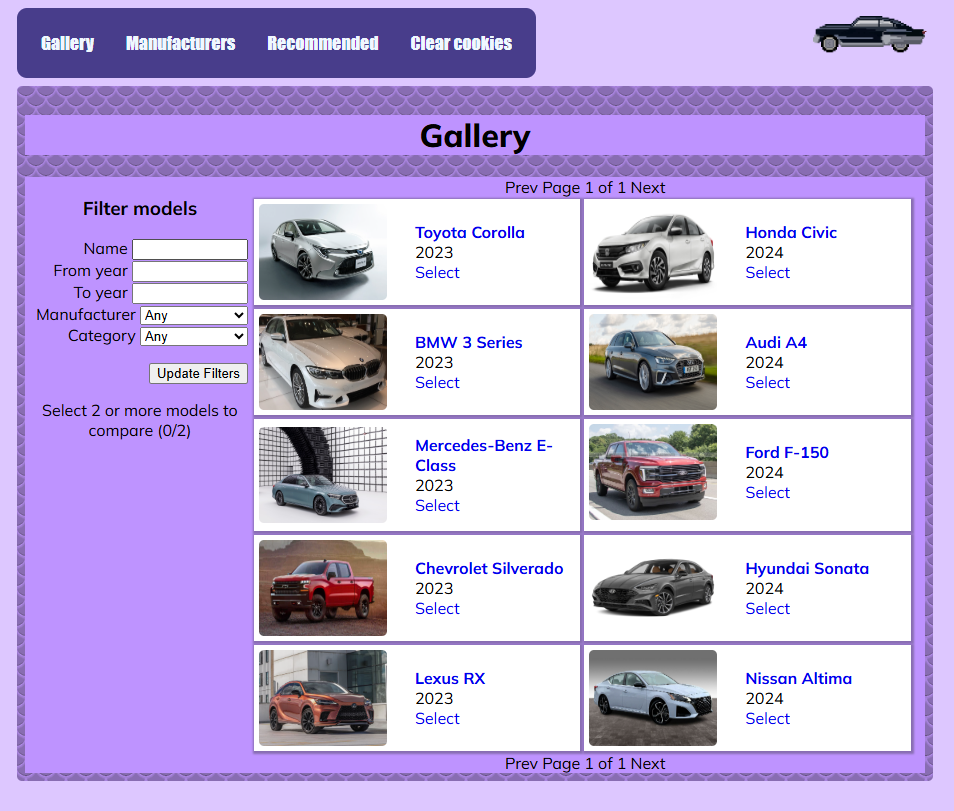
Cars-viewer launches a web-server that fetches data from cars-api and presents the data in a browser-accessible web interface.
Cars-viewer can be shut down gracefully with interrupt signal (Ctrl+D).
pages
/ View, filter and select car models for comparison.
/compare/ Compare different models, supplied by the model selection
**/model/
/manufacturers/ View manufacturers.
/recommendations/ View recommendations based on previously viewed and compared models.
/clearcookie/ Clear view history (recommendations).
Option flags
-h display usage help message and exit
-apiaddr API_ADDRESS override default address for the API (defaults to http://localhost:3000)
-apiaddr API_ADDRESS override default polling rate for the API (defaults to 30s)
-serverport PORT_NUMBER override default server port (defaults to :8080)
Learning objectives
The project taught us
- Working with and manipulating external data sources (APIs).
- Understanding and working with JSON data format.
- Developing user interfaces using HTML.
- Implementing client-server interactions and handling events effectively.
- Using the Go programming language for web development.
- Adhering to best practices for web development.